User commentary on a post about this blog at Marshall Kirkpatrick's wondered at what drives so much European and eastern traffic to me, and while my own guess might hit close to home in some cases, I'm sure I am mostly wrong. :-) What keeps you interested enough to stop by here once in a while? Drop a comment on the post below or mail me; I'm dead curious.
Unrelatedly, I just realized (well, I suppose I might have known about it before and forgotten all about it) that my blog visitor maps chewed up most common navigation keys in Mozilla, for no good readon. Fixed, now.
I also threw in a hack to tell apart US and non-US visitors; tapping U, when hovering either map with the mouse, now switches between the three modes "browse all visitors", "browse US visitors" and "browse non-US visitors", "all" being the default pick prior to narrowing it down. There is no visual feedback of the mode change except that the visitor count will skip a few visitors once in a while when tapping N/P to see the next visitor (or waiting for the next automatic change, twice a minute).
I'm looking forward to turning all these little features into clickable buttons on the large map; it will feel much more polished, that way, not to mention accessable to Internet Explorer visitors et al.
2005-12-31

2005-12-27
In recent ecmanaut news
Del.icio.us was out again. This time around, its JSON feeds, as the rest of the site, are replaced with a Perl backtrace, citing a few frames of HTML::Mason. No graceful JSON degradation in sight, though no graceful HTML degradation either, so maybe the right people were just busy fixing the problem, or having nice holidays away from work. It's a free service too so they are certainly entitled to.
I have had one myself, spending quality time off the net with friends and relatives. I am somewhat happy about ending up on a really high latency modem link yesterday, which made me attack an area of my template I had sort of put off for some time when there would be less "instant gratification" tweaks on offer. When the opportunity finally did arise, chance would have it I put down the tedious work necessary to make the kind of PayPal Donate hack I have been pondering longingly since I saw Jesse Ruderman's take on it. I like how it came out, especially how most of it translates to other languages, as you pick them in the flag menu above. (Chances are slim I'll understand comments in any other languages than English, Swedish and other Scandinavian languages or French, though.)
An hour or two went into bringing the GVisit JSON feeds up to speed with the slew of additional ideas I got after having made my first GVisit application running atop the initial GVisit JSON feed I tossed up. I added things like supplying what little meta info is available about the account, and optionally filtering out only visitors before or after a given time and/or capping the number of results returned, supplying a JSONP style callback argument, and perhaps a few other bits and pieces too. It will be fun writing an article about how to do creative things with this.
The days just before Christmas, I did some serious digging about in the Google Maps (v28) internal APIs, hoping to come up with a way of adding Google Maps style buttons without duplicating every bit of code from the widget layouting code to the cross browser image and transparency handling. I also found just how deeply that code is buried in the unexposed internals, and much to my dismay noted that no, that isn't doable as some needed bits are hidden in a private GMapsNamespace. Well, relatively speaking, anyway. As wiser men than me have noted in the past, in a language sporting an
I actually spent a few hours writing an ugly RegExp based "hook in and forcefully expose needed APIs" beast, but I was a few cc:s of blood sugar too low to get it to work properly, so I put that on ice for the moment. It was an interesting exercise, though; I think I will complete, show off and and publish the results, in some hope of getting benevolent Google Maps engineers to expose more of the goodies that actually are useful to outside world developers too, just as are presently the exposed but officially undocumented WMS APIs. I wonder if publishing fan documentation of the not yet covered (and hence in a way perhaps not considered final) parts of the APIs is considered breaking DMCA, or something silly like that.
It probably would be if Google referred to their obfuscation as obfuscation, or "copy protection" rather than "compression", which they presently do. Other good hackers out there -- Joaquín Cuenca Abela of Panoramio -- actually seem to spend quality brain time on doing the same. Also with the in my opinion very misguided notion of achieving fewer bits on the wire by compromising code readability. (Read my commentary on the post for some more detailed enlightenment to this stance -- or, in short: gzip does better compression than you do, non-destructively.) Fortunately, though, Joaquín aims higher, and his tools seem to have a good possibility of becoming something really useful, by way of presently missing parts in the javascript toolchain.
The javascript linker (in short: analyze what library methods you use, and their full dependencies, include those and toss the rest) he is poking at might be a nice way of lowering the load time impact of library code usage, until The Coming of The Great Library, to apply Civilization terms to the web world.
I have had one myself, spending quality time off the net with friends and relatives. I am somewhat happy about ending up on a really high latency modem link yesterday, which made me attack an area of my template I had sort of put off for some time when there would be less "instant gratification" tweaks on offer. When the opportunity finally did arise, chance would have it I put down the tedious work necessary to make the kind of PayPal Donate hack I have been pondering longingly since I saw Jesse Ruderman's take on it. I like how it came out, especially how most of it translates to other languages, as you pick them in the flag menu above. (Chances are slim I'll understand comments in any other languages than English, Swedish and other Scandinavian languages or French, though.)
An hour or two went into bringing the GVisit JSON feeds up to speed with the slew of additional ideas I got after having made my first GVisit application running atop the initial GVisit JSON feed I tossed up. I added things like supplying what little meta info is available about the account, and optionally filtering out only visitors before or after a given time and/or capping the number of results returned, supplying a JSONP style callback argument, and perhaps a few other bits and pieces too. It will be fun writing an article about how to do creative things with this.
The days just before Christmas, I did some serious digging about in the Google Maps (v28) internal APIs, hoping to come up with a way of adding Google Maps style buttons without duplicating every bit of code from the widget layouting code to the cross browser image and transparency handling. I also found just how deeply that code is buried in the unexposed internals, and much to my dismay noted that no, that isn't doable as some needed bits are hidden in a private GMapsNamespace. Well, relatively speaking, anyway. As wiser men than me have noted in the past, in a language sporting an
eval() mechanism, most problems, this one included, can be solved in really ugly backwards ways.I actually spent a few hours writing an ugly RegExp based "hook in and forcefully expose needed APIs" beast, but I was a few cc:s of blood sugar too low to get it to work properly, so I put that on ice for the moment. It was an interesting exercise, though; I think I will complete, show off and and publish the results, in some hope of getting benevolent Google Maps engineers to expose more of the goodies that actually are useful to outside world developers too, just as are presently the exposed but officially undocumented WMS APIs. I wonder if publishing fan documentation of the not yet covered (and hence in a way perhaps not considered final) parts of the APIs is considered breaking DMCA, or something silly like that.
It probably would be if Google referred to their obfuscation as obfuscation, or "copy protection" rather than "compression", which they presently do. Other good hackers out there -- Joaquín Cuenca Abela of Panoramio -- actually seem to spend quality brain time on doing the same. Also with the in my opinion very misguided notion of achieving fewer bits on the wire by compromising code readability. (Read my commentary on the post for some more detailed enlightenment to this stance -- or, in short: gzip does better compression than you do, non-destructively.) Fortunately, though, Joaquín aims higher, and his tools seem to have a good possibility of becoming something really useful, by way of presently missing parts in the javascript toolchain.
The javascript linker (in short: analyze what library methods you use, and their full dependencies, include those and toss the rest) he is poking at might be a nice way of lowering the load time impact of library code usage, until The Coming of The Great Library, to apply Civilization terms to the web world.
2005-12-22
What is a user script, anyway?
Mtl3p and Hugh of dose got into a bit of discussion about my semi-automated CommentBlogging user script in the comments on mtl3p's post, interspersed by some general skepticism about or even animosity towards Firefox and Greasemonkey.
There is little need for fearing the proprietarism of the technology, though; while I don't think any other browser has taken user script handling usability as far as does Greasemonkey in Firefox, both Internet Explorer and Opera also handle them, natively in Opera's case and with Reify's extension Turnabout for IE. User javascript was actually first implemented in Opera, which still has the technological advantage.
This came in Opera 8, and was the next logical step in improving the Opera browsing experience, by making it possible for the Opera engineers to have their baby properly handle even the most broken and explicitly browser incompatibile of pages "just as well as Internet Explorer does", as the typical unsuspecting end user would call it when some loonie has made a web, sorry, Internet Explorer page. Anyway, Opera added a whole aspect oriented subsystem to invoke javascript code to do any amount needed of wizardry, to any web page, rewriting the world to fit the page's conceptions, or the other way around. Heck, if Microsoft can rewrite their pages to break Opera, Opera can rewrite Microsoft's pages to work, even when they standards defyingly assume an Internet Explorer world, the clever Scandinavian engieers at Opera reasoned.
Some time later, Greasemonkey came around and turned the idea into a playground for doing page modifications, building another web of the present web, and doing it in a style easily shared with friends. Inspired by Greasemonkey, Reify came around and did their own take on the concept, improving on some aspects, not going as far in some. So, again, just as we are used to on the web from the old bad days of competing browsers, we have a field of a few players, all doing their thing, a bit differently, prior to any emerging standards. This time around it isn't a battlefield, though, it's just somewhat immature technology that has yet to find standardization and cross browser portability.
I'm eager to see that happening, and am interested in any feedback, in particular developer feedback, about my own user scripts and how they work or break when run in other environments that I don't use myself, and why they do, or how they ought to do to work better. To find best practices, we need to unite, exchanging experiences and spreading them, so others can learn from them and better scripts useful to more people, regardless of browser preferences, will come out of it in the end.
The userscripts.org community features 2,400 user scripts today, most of which were probably written for (and using) Greasemonkey. A similar community for the Opera user Javascript community is called userjs.org, and features 100 scripts. As far as I know, Reify has no similar following, but emulate and extend the Greasemonkey model hoping to remain compatible. The numbers above probably more reflect the ease of user script installation in Greasemonkey than anything else; it's "right click and pick install", versus "turn on a browser option, specify a directory, find that directory and save each user script there" in Opera. I'm afraid I don't remember how Turnabout does it.
There is little need for fearing the proprietarism of the technology, though; while I don't think any other browser has taken user script handling usability as far as does Greasemonkey in Firefox, both Internet Explorer and Opera also handle them, natively in Opera's case and with Reify's extension Turnabout for IE. User javascript was actually first implemented in Opera, which still has the technological advantage.
This came in Opera 8, and was the next logical step in improving the Opera browsing experience, by making it possible for the Opera engineers to have their baby properly handle even the most broken and explicitly browser incompatibile of pages "just as well as Internet Explorer does", as the typical unsuspecting end user would call it when some loonie has made a web, sorry, Internet Explorer page. Anyway, Opera added a whole aspect oriented subsystem to invoke javascript code to do any amount needed of wizardry, to any web page, rewriting the world to fit the page's conceptions, or the other way around. Heck, if Microsoft can rewrite their pages to break Opera, Opera can rewrite Microsoft's pages to work, even when they standards defyingly assume an Internet Explorer world, the clever Scandinavian engieers at Opera reasoned.
Some time later, Greasemonkey came around and turned the idea into a playground for doing page modifications, building another web of the present web, and doing it in a style easily shared with friends. Inspired by Greasemonkey, Reify came around and did their own take on the concept, improving on some aspects, not going as far in some. So, again, just as we are used to on the web from the old bad days of competing browsers, we have a field of a few players, all doing their thing, a bit differently, prior to any emerging standards. This time around it isn't a battlefield, though, it's just somewhat immature technology that has yet to find standardization and cross browser portability.
I'm eager to see that happening, and am interested in any feedback, in particular developer feedback, about my own user scripts and how they work or break when run in other environments that I don't use myself, and why they do, or how they ought to do to work better. To find best practices, we need to unite, exchanging experiences and spreading them, so others can learn from them and better scripts useful to more people, regardless of browser preferences, will come out of it in the end.
The userscripts.org community features 2,400 user scripts today, most of which were probably written for (and using) Greasemonkey. A similar community for the Opera user Javascript community is called userjs.org, and features 100 scripts. As far as I know, Reify has no similar following, but emulate and extend the Greasemonkey model hoping to remain compatible. The numbers above probably more reflect the ease of user script installation in Greasemonkey than anything else; it's "right click and pick install", versus "turn on a browser option, specify a directory, find that directory and save each user script there" in Opera. I'm afraid I don't remember how Turnabout does it.
2005-12-21
Central hosting of all javascript libraries
Ian Holsman voices an idea I have long been considering ought to be done, which would do the web very much good: setting up a central repository of all versions of all major (and some minor ones too, of course) javascript libraries and frameworks, in one single place.
Trust is important. A party taking on this project needs to have or build an excellent reputation for reliability, availability, good throughput, response times and security (this is not the site you would want to see hacked). Naturally also to never ever abuse the position of power it is to have the opportunity of serving any code they choose to that millions of web sites use for their core functionality. Failing to meet that trustworthiness is also an instant kiss of death for the hosting center's role in this, on the other hand, so that particular danger would not keep me awake at night.
Let's say we end up at
Line up all other libraries side by side with the first, starting with those more popular today, moving on to less known niche software. Add as much of past versions of all projects as you can get your hands on, when you have achieved good coverage on current most wanteds. This makes it possible to migrate forward in due time, as each party choses, and to quickly import past projects and sites, without doing any prior future compatibility testing.
You might also opt to set up and maintain a rewrite rule list for linking the most recent version of every library under a common to all projects alias, such as http://lib.js//dojo/latest/. Not because it is a very good idea to use for published applications, but because it is a nice option to have. Maintaining two sets of rewrite rules, the latter doing proper HTTP redirects, is another nice option, where http://lib.js/latest/dojo/ would bounce away to http://lib.js//dojo/0.2.1/. Today, anyway, assuming above sketched URL semantics.
That's your baseline. Next, you may choose to line up project docs in their own tree branched off at the root, gathering up what http://lib.js/doc/prototype/1.0/ has to offer in way of documentation, otherwise keeping the native project file docs' structure below there. Similarly, you may of course over time also provide discussion forums, issue tracking and other services useful to library projects, but don't rush those bits; it's not your core value, and most projects already have their own and might well not look favourably on having them diluted by your (well meant) services.
Adding selective library import tools by way of native javascript function calls from the live system, rather than pasting static bits of HTML into the page head section, is where wise minds must meet and ponder the options, to come up with a really good, and probably rather small, set of primitives for defining the core loader API. It will very likely not end up shared among all projects, but over time projects will most likely move towards adopting it, if it gets as good as it should.
The coarse outline of it solves the basic problem of code transport and program flow control: fetching the code, and kicking off the code that sent for it in the first place. One rather good, clean and minimalist way of doing it is the JSONP approach, wherein the URL API gets passed a
On the whole, this project is way too good not to be embarked on by anyone. Any takers? You would get lots of outbound traffic in a snap -- good for peering. ;-)
Pros
Why is this such a good idea? There are several reasons. Here are a few, off the top of my head:- Shorter load times. While bandwidth availability has generally increased in recent years, loading the same bits of code used everywhere for every site that use the very same library anyway, is wasteful. The more sites that use one canonic URL for importing a library, the quicker these sites will load, since visitors to larger extents will already have the code cached locally. Shared resources make better use of the browser cache.
- Quicker deployment. There are reasons why projects who have already taken this approach (Google Maps, for instance) spread like wildfire.
Multiply the number of libraries in active development with their number of releases over time and the average time it takes for a developer to download and install one such package. Multiply this figure with the number of developers that choose to use (or upgrade to) each such release, minus one, and we have the amount of developer time that could optimally instead be used for doing active development (or hugging somebody, or some other meaningful activity, adding value in and of itself).
Moving on, this point has additional good implications, building on top of one another:- Lowering the adoption threshold for all web developers. This is especially pertinent to the still very large body of people stranded in environments where they have limited storage space of their own, or indeed can not even host
text/javascriptfiles in the first place. - Increased portability is a common effect of standing on the shoulders of giants such as Bob Ippolito, David Flanagan, Aaron Boodman, and all the other very knowledgeable, skilled artisans who know more about good code, best cross browser practices, good design, and more, than the average Joe cooking his own set of bugs and browser incompatibilities, from the very limited typical perspective of what works in their own favourite browser. Using code wrought by these skilled people, eyed through and improved by great masses of other skilled people adds up to some serious quality code, over time. While there are good reasons for not adopting typical frameworks, the same does not hold for the general case of libraries.
- Lowering the adoption threshold for all web developers. This is especially pertinent to the still very large body of people stranded in environments where they have limited storage space of their own, or indeed can not even host
- Better visibility of available libraries through gathering them all in one place, in itself likely to have many favourable consequences, such as spreading good ideas quicker across projects.
Cons
There will of course never be 100% adoption of any endeavour such as this, but benefits will grow exponentially as more applications and web pages join up under this common roof. There are also reasons for not joining up, of course, many ranging along axes such as Distrust, Fear, Uncertainty and Doubt.Trust is important. A party taking on this project needs to have or build an excellent reputation for reliability, availability, good throughput, response times and security (this is not the site you would want to see hacked). Naturally also to never ever abuse the position of power it is to have the opportunity of serving any code they choose to that millions of web sites use for their core functionality. Failing to meet that trustworthiness is also an instant kiss of death for the hosting center's role in this, on the other hand, so that particular danger would not keep me awake at night.
Why?
Doing this kind of massive project, and doing it well, would be a huge goodwill boost for any company to attempt it and succeed (a good side to it is that it would not be bad for the web community, if multiple vendors were to take it on). It's the kind of thing I would intuitively expect of companies such as Dreamhost (but weigh my opinion on that as you will -- yes, it is an affiliate link), who have outstanding records for being attentive, offering front line services and aim high for growing better and larger at the same time. I'm not well read up in the field, so my guess is as good as anyone's -- though after having read Jesse Ruderman on their merits a year ago, I think my own migration path was set. But I digress.How?
The first step to take is in devising a host name and directory structure for the site. Shorter is better; lots of people will type this frequently. For inspiration, di.fm is a very good host name (for another good service) -- but if you really want to grasp the opportunity of marketing yourself by name, picking some free spot in the root of your main site, http://google.com/lib/ for example, will of course work too. (But, in case you do, don't respond on that address with a redirect; that would defeat the goal of minimum response time.)Let's say we end up at
http://lib.js/. For reasons apparent to some of the readership we probably won't, but never mind that. Devise short and to the point paths, and place each project tree verbatim under its name and version number, however these may look. http://lib.js/mochikit/1.1/ could be one example. In case you would like to reserve room in your root for local content, be creative: http://lib.js//mochikit/1.1/ would work too; your URL namespace semantics are your own, though few challenge classic unix conventions today. Pick one and stay with it for all eternity.Line up all other libraries side by side with the first, starting with those more popular today, moving on to less known niche software. Add as much of past versions of all projects as you can get your hands on, when you have achieved good coverage on current most wanteds. This makes it possible to migrate forward in due time, as each party choses, and to quickly import past projects and sites, without doing any prior future compatibility testing.
You might also opt to set up and maintain a rewrite rule list for linking the most recent version of every library under a common to all projects alias, such as http://lib.js//dojo/latest/. Not because it is a very good idea to use for published applications, but because it is a nice option to have. Maintaining two sets of rewrite rules, the latter doing proper HTTP redirects, is another nice option, where http://lib.js/latest/dojo/ would bounce away to http://lib.js//dojo/0.2.1/. Today, anyway, assuming above sketched URL semantics.
That's your baseline. Next, you may choose to line up project docs in their own tree branched off at the root, gathering up what http://lib.js/doc/prototype/1.0/ has to offer in way of documentation, otherwise keeping the native project file docs' structure below there. Similarly, you may of course over time also provide discussion forums, issue tracking and other services useful to library projects, but don't rush those bits; it's not your core value, and most projects already have their own and might well not look favourably on having them diluted by your (well meant) services.
Invocation
Ajaxian further suggests integrating such a repository with library mechanisms to do programmatical import by way of the library native methods of each library (or at least that of Dojo; not all libraries meet the same sophistication levels, unfortunately), rather than the time tested default and minimal footprint "write a <script> tag here" approach. Also an idea in very good taste.Adding selective library import tools by way of native javascript function calls from the live system, rather than pasting static bits of HTML into the page head section, is where wise minds must meet and ponder the options, to come up with a really good, and probably rather small, set of primitives for defining the core loader API. It will very likely not end up shared among all projects, but over time projects will most likely move towards adopting it, if it gets as good as it should.
The coarse outline of it solves the basic problem of code transport and program flow control: fetching the code, and kicking off the code that sent for it in the first place. One rather good, clean and minimalist way of doing it is the JSONP approach, wherein the URL API gets passed a
?callback=methodname parameter, that would simply add a methodname() call to the end of the fetched file. (Given what ends up coming out of final API discussions from bearded gentlemen's tables, there may of course be some parameters passed back to the callback too, or even some other scheme entirely chosen.)Methodname here is used strictly as a placeholder; any bit of javascript code provided by the calling part would be valid, and most likely the URL API will not even be exposed to the caller herself; the loader will probably maintain its own id/callback mapping internally. As present javascript-in-browsers design goes though, on some level the API will have to look like this, since there is no cross browser way of getting onload callbacks, especially not for <script> tags.On the whole, this project is way too good not to be embarked on by anyone. Any takers? You would get lots of outbound traffic in a snap -- good for peering. ;-)
Greasemonkey tip: running your handler before the page handler
I figured as it just took me well over an hour to diagnose and come up with a work-around for this issue (for adding BlogThis! support to my Blogger publish helper, which is done now, by the way -- feel free to reinstall it), others in the same situation might be glad if I shared this knowledge where search engines roam.
I faced a problem where I wanted to add an onclick handler that would run prior to an already defined onclick handler in a page, as my handler was changing the lots of page state intended for the original handler to see.
The kludge I came up with was adjusting the present node to wait for a decisecond before executing, so my greasemonkey injected hook would have ample time to do its business before it would run the original code:
I faced a problem where I wanted to add an onclick handler that would run prior to an already defined onclick handler in a page, as my handler was changing the lots of page state intended for the original handler to see.
node.addEventListener( event, handler, false ); would install my own callback after the already existing handler, which wouldn't do much good here.The kludge I came up with was adjusting the present node to wait for a decisecond before executing, so my greasemonkey injected hook would have ample time to do its business before it would run the original code:
var code = node.getAttribute( 'onclick' );Really ugly, but it does work. I'd love to hear of better solutions for this.
if( code )
node.setAttribute( 'onclick', 'setTimeout("' +code+ '", 100)' );
BlogThis! with my updated post tagger helper
After having kindly been slipped a slew of bug reports and feature requests by Oskar, I have now done some fairly substantial upgrades and bug fixes to my Blogger publish helper.
First and foremost, it now supports tagging things when you use the BlogThis! button in the Blogger navbar. (It does not do any fancy things on the publish page, though.) It took ages getting it to work, but it was something of a learning experience too.
If I got everything right this time, those of you who have previously been pestered with popup prompts asking you what tags you want on all your posts should hopefully be relieved of that from now on.
In other related news, it now appends the linked URL, when available, to the Del.icio.us text field that previously only held the post time.
While at it, I also incorporated Jasper's recent upgrade to support compose mode too.
Reinstall the most recent version of it and have a go.
First and foremost, it now supports tagging things when you use the BlogThis! button in the Blogger navbar. (It does not do any fancy things on the publish page, though.) It took ages getting it to work, but it was something of a learning experience too.
If I got everything right this time, those of you who have previously been pestered with popup prompts asking you what tags you want on all your posts should hopefully be relieved of that from now on.
In other related news, it now appends the linked URL, when available, to the Del.icio.us text field that previously only held the post time.
While at it, I also incorporated Jasper's recent upgrade to support compose mode too.
Reinstall the most recent version of it and have a go.
2005-12-19
Web dictionary? Topic aggregator? Trackback spammer?
This is weird. It superficially seems to be a publish ping triggered peek-back system which tracks posts containing some or a few of the words it covers, and upon finding them, sends track-back pings to the post, one trackback for every covered word found. Does this read trackback spam to you, or is it a usefulm but perhaps misconfigured service? I'm leaning toward the former, but I'm not sure how fully automated or intended-permanent the setup is yet.
I received two trackbacks for yesterday's post, one for "javascript", one for "calendar", both words just present in page content, neither tagged. The site seems to be running a software called PukiWiki, and judging by the published site statistics the site has just started to get up to speed the past few days. I'd be leaning towards this being a potentially useful service, perhaps especially to the Japanese crowd it seems to target (pages seem to be written in Japanese encoded as EUC-JP but incorrectly marked-up as ISO-8859-1, so you may have to employ manual browser overrides to see the content properly) -- but if it's going to transmit trackback pings to autogenerated index pages, it's spam, useful or not.
I hold a firm belief about trackback notification being a tool reserved for notifying about human commentary. Breaking that is littering the blog world, and I believe this breaks that convention, quite severely.
I received two trackbacks for yesterday's post, one for "javascript", one for "calendar", both words just present in page content, neither tagged. The site seems to be running a software called PukiWiki, and judging by the published site statistics the site has just started to get up to speed the past few days. I'd be leaning towards this being a potentially useful service, perhaps especially to the Japanese crowd it seems to target (pages seem to be written in Japanese encoded as EUC-JP but incorrectly marked-up as ISO-8859-1, so you may have to employ manual browser overrides to see the content properly) -- but if it's going to transmit trackback pings to autogenerated index pages, it's spam, useful or not.
I hold a firm belief about trackback notification being a tool reserved for notifying about human commentary. Breaking that is littering the blog world, and I believe this breaks that convention, quite severely.
Reflowing HTML around dynamically moving content
I have an amusing application in mind, for which I would like to solve a layouting problem I have never seen attempted on the web: extracting a
Assuming we narrow scope to moving a fixed width div vertically through a same width column of text content, I believe I could chunk up the text into text nodes, initially one per word, and track down the start of every new line in the text body (at present window width). Then, by easing the div upward (or downward) through the page, one line (a few nodes) at a time, employing a
This would render a chunky, text terminal style, line scroller. Further polishing it, we could fine tune it to a smooth style pixel by pixel scroller, by calculating the distance between lines and interpolating a suitable top padding for the element, to place it at just the right height every step of the way through the document.
Of course we wouldn't have to slide pixel by pixel through the entire stretch; most likely it will often look better to do a smooth sine curve slide over just a couple of frames, perhaps half a second or so, to cover a distance of a few hundred pixels in a dozen or so steps. And we could ease down the opacity of the nearest line or lines of text closest to the moving div too for still more effect.
This whole concept feels a lot like developing demo efects on the Commodore 64 or Amiga used to, back in the eighties or nineties. ;-)
<div> element from the document flow, moving it through the document and have the rest of the page content flow around the div as it moves around. I think this can actually be done already, given a bit of inginuity and work, given some additional constraints on the problem. With a bit of luck, researching this might prove productive.Assuming we narrow scope to moving a fixed width div vertically through a same width column of text content, I believe I could chunk up the text into text nodes, initially one per word, and track down the start of every new line in the text body (at present window width). Then, by easing the div upward (or downward) through the page, one line (a few nodes) at a time, employing a
position:static;, or for that matter position:relative; CSS attribute for it, it would let the surrounding text flow seamlessly around it, as it moves. (It should actually work just as well with a smaller div too, though the use case I have in mind will not require that.)This would render a chunky, text terminal style, line scroller. Further polishing it, we could fine tune it to a smooth style pixel by pixel scroller, by calculating the distance between lines and interpolating a suitable top padding for the element, to place it at just the right height every step of the way through the document.
Of course we wouldn't have to slide pixel by pixel through the entire stretch; most likely it will often look better to do a smooth sine curve slide over just a couple of frames, perhaps half a second or so, to cover a distance of a few hundred pixels in a dozen or so steps. And we could ease down the opacity of the nearest line or lines of text closest to the moving div too for still more effect.
This whole concept feels a lot like developing demo efects on the Commodore 64 or Amiga used to, back in the eighties or nineties. ;-)
Template upgrades
In pathing up my blog template to not crash down so badly when Del.icio.us is offline, I also found the bug that made my backlinks disappear; somehow I had dropped a bit of initialization code that made my overly complex Blogger backlink injection work in the first place. I ought to rewrite that from scratch using document.write like Jasper does; it would take out the need for my more bloated approach. Either way, backlinks here now work again, in Firefox. Not in IE nor Opera, though, further suggesting I'd be better off with Jasper's more robust approach.
While at it, I added a feature to tell my own back links apart from back links from other people, though. Maybe I ought to separate them into sections too, I'm not sure yet. I also ought to write an article on how to do such things, eventually, but in the meantime I warmly recommend Jasper's article above. It is easily extended by those of you familiar with programming in general, or ecmascript/javascript in particular.
Good to see my ClustrMaps hack working neatly in the latest versions of IE, Firefox and Opera alike; I had not tested that myself until today. I think I will set myself up with a more formal test bed of browsers (also including Firefox 1.0.7 and 1.0.6, either of which was reported not to get it quite right) if (or should I perhaps say when) I start doing freelance / consultancy work on web related development. Until then, quality control will remain loosely at today's level of laxity, user feedback driven.
My post navigation calendar approach of using the Blogger tags and daily archival to enumerate all post dates, and my Del.icio.us tags for providing them with titles on mouseover seems to be worth keeping and pursuing, as it degrades nicely when the latter is not available. Had I done as I initially planned on, and relied solely on Del.icio.us for it (less and cleaner code), that navigation option would have been effectively severed now.
I'll probably end up writing next post in my article series on setting up Blogger blogs with calendar navigation using this two tier approach, too, the latter feature being an optional add-on to those who take the time and trouble to tag all their posts at Del.icio.us, for that feature, for the possible topic navigation system that opens up for or just for driving relevant traffic to your blog.
While at it, I added a feature to tell my own back links apart from back links from other people, though. Maybe I ought to separate them into sections too, I'm not sure yet. I also ought to write an article on how to do such things, eventually, but in the meantime I warmly recommend Jasper's article above. It is easily extended by those of you familiar with programming in general, or ecmascript/javascript in particular.
Good to see my ClustrMaps hack working neatly in the latest versions of IE, Firefox and Opera alike; I had not tested that myself until today. I think I will set myself up with a more formal test bed of browsers (also including Firefox 1.0.7 and 1.0.6, either of which was reported not to get it quite right) if (or should I perhaps say when) I start doing freelance / consultancy work on web related development. Until then, quality control will remain loosely at today's level of laxity, user feedback driven.
My post navigation calendar approach of using the Blogger tags and daily archival to enumerate all post dates, and my Del.icio.us tags for providing them with titles on mouseover seems to be worth keeping and pursuing, as it degrades nicely when the latter is not available. Had I done as I initially planned on, and relied solely on Del.icio.us for it (less and cleaner code), that navigation option would have been effectively severed now.
I'll probably end up writing next post in my article series on setting up Blogger blogs with calendar navigation using this two tier approach, too, the latter feature being an optional add-on to those who take the time and trouble to tag all their posts at Del.icio.us, for that feature, for the possible topic navigation system that opens up for or just for driving relevant traffic to your blog.
Graceful JSON degradation
Let's assume you are publishing a JSONP feed, or indeed any kind of JSON feed -- such as the Del.icio.us JSON feeds for posted URLs, or lists of tags, and so on. All of a sudden, your service goes down. These things happen to all of us; be prepared for it. Usually, it is good service to show a user friendly error message that tells users what has happened -- we apologize for the outage, read more about it here, that sort of thing.
For JSON feeds, it is not. Remember, these messages are intended for human consumption, JSON is not. If you provide an HTML encoded message for the visitor, it will most certainly be malformed JSON, and your users may, at best, get a very unfriendly error message in their javascript consoles. Assuming you are providing a JSONP feed and the calling part sent out a request that should run the callback
If you are the Del.icio.us page for fetching posts, you provide a similar JSON null response:
...and nothing bad will happen.
The above example is of course in lieu of the recent Del.icio.us outage and the featured error in my case was
The curious reader might wonder why the Mozilla error message came out quite like that. Isn't the
Well, it is, in fact, but before that, the presumed-javascript contents of the Del.icio.us page we requested is parsed, as javascript. And with the coming of E4X (ECMAScript for XML), which Mozilla 1.5 supports, it very nearly is valid javascript. Had it been a properly balanced XML page, it would actually have parsed as valid javascript, and rendered the same error IE saw when later page features prodded at the Delicious object (liberally assuming it was there -- I could of course have been more sceptical myself and tested for its exsistance first with a simple
But it wasn't; there was an unterminated
Lessons learned? Degrade JSON nicely. A balanced XML diet is a healthy thing.
For JSON feeds, it is not. Remember, these messages are intended for human consumption, JSON is not. If you provide an HTML encoded message for the visitor, it will most certainly be malformed JSON, and your users may, at best, get a very unfriendly error message in their javascript consoles. Assuming you are providing a JSONP feed and the calling part sent out a request that should run the callback
got_data, which expects a single array parameter of something, and you have not formally specified an error API for handling these circumstances, what you should send back to the client is a simple got_data([]) -- nothing more, nothing less.If you are the Del.icio.us page for fetching posts, you provide a similar JSON null response:
if(typeof(Delicious) == 'undefined') Delicious = {};
Delicious.posts = [];
...and nothing bad will happen.
The above example is of course in lieu of the recent Del.icio.us outage and the featured error in my case was
"XML tag mismatch: </body>", when running Mozilla 1.5. When running Internet Explorer, it's "Delicious is undefined." instead. Neither very informative, and both also yielding somewhat broken web pages (as my blog uses the Del.icio.us JSON feeds for tags visualization and browse posts by topic features).The curious reader might wonder why the Mozilla error message came out quite like that. Isn't the
Delicious object used later in the page just as undefined for Mozilla as it is for Internet explorer?Well, it is, in fact, but before that, the presumed-javascript contents of the Del.icio.us page we requested is parsed, as javascript. And with the coming of E4X (ECMAScript for XML), which Mozilla 1.5 supports, it very nearly is valid javascript. Had it been a properly balanced XML page, it would actually have parsed as valid javascript, and rendered the same error IE saw when later page features prodded at the Delicious object (liberally assuming it was there -- I could of course have been more sceptical myself and tested for its exsistance first with a simple
if( typeof Delicious == 'object' ){...} and been safe).But it wasn't; there was an unterminated
<p> tag there, and we got the puzzling bit about badly balanced XML instead.Lessons learned? Degrade JSON nicely. A balanced XML diet is a healthy thing.
2005-12-16
I spy with my little eye
Recent visitors of my blog index page might have noticed some new eye candy of mine: a visitor log pacing back and forth between the locations of the most recent hundred visitors, one at a time, every thirty seconds. This is the kind of thing you can do with GVisit JSON feeds and some cleverly applied Google Maps API programming. No server side support you need to install anywhere, only bits of client side javascript, composing maps from geomapped referrer logs care of GVisit. Beautiful, isn't it?
Just the kind of mildly astonishing thing I felt my blog should have instead of some blog banner graphic, when I decided on not wanting to devote my poor man's Photoshop skills on making something at least somewhat tacky as graphics goes. After all, this blog is about insane javascript hackery, so insane javascript hackery it is. :-)
You may keep reading this blog by RSS feed and not be bothered much by the additional load time, too; in fact, I warmly recommend reading most blogs that way. The occasional tool or featured article page where I go into more advanced live page layouts, with form widgets or javascript enabled other usability tricks will of course still be worth visiting for, but I think I will leave the post permalink pages alone, so don't be alarmed.
I started out with making a full-screen visitor tracker with about the same layout, which adapts itself a bit to the dimensions of your browser window, leaving out some elements as screen real estate grows less abundant. Most of that code was initially written by Chris Thiessen, and I happened upon it quite by chance, scouring the Google Maps API newsgroup for any interesting discussion on GVisit. I havenot now been able to reach Chris by mail, but hope and he does not mind my extending his nice triple pane Google Maps code. Quite the contrary, in fact; it is being released under a Creative Commons license. I'll get back with more details in a later post.
Most of my extensions to it, apart from the integration with GVisit, is adding lots of keyboard bindings for things I usually miss with applications built on top of Google Maps. They actually only work in Mozilla, as far as I know, for reasons I have not digged into yet, but there, they are active when the mouse hovers either of the map views. An exhaustive list:
The scroll wheel can also be used to zoom in and out, and naturally you can drag the map and click on the various buttons or icons in the map views as well, double click to focus some specific spot, and so on, as with most Google Maps.
The visit times listed are shown in your own time zone down to second precision, and a more rough estimate in the visitor's time zone. I don't really have any source that maps a location to an exact time zone, much less handling daylight savings time rules there (which is a huge mess, throughout the world; DST being an endless source of trouble, larger than Y2K problems but publicly accepted due to bad heritage). What I do have, though, is an approximate longitude reading, and given that and your own time zone offset (which your browser knows about, if your computer time settings are correct), I calculate what approximate time it in the visitor's neighbourhood, and show this somewhat more vaguely. Here is the time zone compensation code, that takes a
I am planning a tutorial on how to make your own visitor log using this code and a registered GVisit account; with this ground work done it isn't much more than doing some finishing-up touches, perhaps adding a few features I did not think of putting into the JSON feed in the first place and writing up the article for you. But don't hold your breath -- Christmas is coming up, and chances are I may be gone for large parts of it.
Just the kind of mildly astonishing thing I felt my blog should have instead of some blog banner graphic, when I decided on not wanting to devote my poor man's Photoshop skills on making something at least somewhat tacky as graphics goes. After all, this blog is about insane javascript hackery, so insane javascript hackery it is. :-)
You may keep reading this blog by RSS feed and not be bothered much by the additional load time, too; in fact, I warmly recommend reading most blogs that way. The occasional tool or featured article page where I go into more advanced live page layouts, with form widgets or javascript enabled other usability tricks will of course still be worth visiting for, but I think I will leave the post permalink pages alone, so don't be alarmed.
I started out with making a full-screen visitor tracker with about the same layout, which adapts itself a bit to the dimensions of your browser window, leaving out some elements as screen real estate grows less abundant. Most of that code was initially written by Chris Thiessen, and I happened upon it quite by chance, scouring the Google Maps API newsgroup for any interesting discussion on GVisit. I have
Most of my extensions to it, apart from the integration with GVisit, is adding lots of keyboard bindings for things I usually miss with applications built on top of Google Maps. They actually only work in Mozilla, as far as I know, for reasons I have not digged into yet, but there, they are active when the mouse hovers either of the map views. An exhaustive list:
- Arrow keys scroll the viewport
- Page Up/Down, Home and End scroll ¾ of a windowful
- Map mode
- Satellite mode
- Hybrid mode
- Toggle mode, cycling through all three
- + zooms in
- - zooms out
- 1-9, 0, shift+1-7 instantly zooms to level 1..17
- Zoom back to this map view's default setting
- Center the map on the last visitor, or for the smaller map views, the next map's present coordinates
- (Shift+C snaps there instantly, whereas plain C does smooth scrolling, in cases where the distance covered is small)
- Next visitor
- Previous visitor
- Shift+N zooms to the most recent visitor
- Shift+P zooms to the first still remembered visitor
The scroll wheel can also be used to zoom in and out, and naturally you can drag the map and click on the various buttons or icons in the map views as well, double click to focus some specific spot, and so on, as with most Google Maps.
The visit times listed are shown in your own time zone down to second precision, and a more rough estimate in the visitor's time zone. I don't really have any source that maps a location to an exact time zone, much less handling daylight savings time rules there (which is a huge mess, throughout the world; DST being an endless source of trouble, larger than Y2K problems but publicly accepted due to bad heritage). What I do have, though, is an approximate longitude reading, and given that and your own time zone offset (which your browser knows about, if your computer time settings are correct), I calculate what approximate time it in the visitor's neighbourhood, and show this somewhat more vaguely. Here is the time zone compensation code, that takes a
Date object and a longitude (±0..180 degrees) and returns a Date object with that time zone's local time:function offset_time_to_longitude( time, longitude )
{
var my_UTC_offset = (new Date).getTimezoneOffset() * 6e4;
var UTC_offset = longitude/180 * 12*60*60e3 + my_UTC_offset;
return new Date( time.getTime() + UTC_offset );
}
I am planning a tutorial on how to make your own visitor log using this code and a registered GVisit account; with this ground work done it isn't much more than doing some finishing-up touches, perhaps adding a few features I did not think of putting into the JSON feed in the first place and writing up the article for you. But don't hold your breath -- Christmas is coming up, and chances are I may be gone for large parts of it.
Google Maps + Open Streetmaps and NASA/JPL mashups
As it turns out, Just van den Broecke has already done what my quick at-a-glance feasibility study set out to investigate, and integrates Open Streetmap data on top of Google Maps.
He plugs in the Open Streetmap imagery as a third party Web Map Server (WMS) into the (not yet publicly documented, though still usable) Google Maps API, in the same fashion the Google Maps native "Hybrid" view works, with a layer of transparent images stacked on top of the Satellite view, as I did. Read his blog entry on it for more information.
Van den Broecke has done a few other WMS + Google Maps mashups worth noting too, where he features NASA/JPL imagery (I presume that it gets those interesting looks due to the NASA/JPL WMS not working with the Mercator projection that Google Maps uses) and Catalunya maps.
He plugs in the Open Streetmap imagery as a third party Web Map Server (WMS) into the (not yet publicly documented, though still usable) Google Maps API, in the same fashion the Google Maps native "Hybrid" view works, with a layer of transparent images stacked on top of the Satellite view, as I did. Read his blog entry on it for more information.
Van den Broecke has done a few other WMS + Google Maps mashups worth noting too, where he features NASA/JPL imagery (I presume that it gets those interesting looks due to the NASA/JPL WMS not working with the Mercator projection that Google Maps uses) and Catalunya maps.
2005-12-15
A map mashup feasibility study
I like Google Maps. I like the way Google Maps offers rather detailed maps of the US, UK and Japan. I do not like the way in which it does not yet do so elsewhere, though. That is one reason why I like grassroots projects such as Open Streetmap, where insane people with GPS devices team up to put their track logs to good use, mapping the world as they go. Or drive. Or ride their bicycles.
Anyway, they render road maps of their own, as a collaborative effort, and anyone can join in. They also publish them on the web and have a Google Mapish effort running to visualize them, atop free but thoroughly unaesthetic satellite imagery from Landsat. In these days of web site mashups, I find it a bit surprising that they have not already adapted their tile generator to bundle up with Google's superior imagery, but figured they might lack the time, or devote most of it to other (more tedious and less gratifying) tasks instead. Either way, I kind of smelled an opportunity to do some fun hackery, and bring the projects closer to one another.
First I compared images between (Google) Maps and (Open) Streetmaps (Yes, I'm going to abbreviate from now on) to verify that they had picked the same resolution / zoom levels. For at least two zoom settings, they had, so I assume somebody has made their homework and paved the way for this potential mashup, should someone who would take it on happen to come along. Nice -- less work for me. (The Streetmaps tile server seems to offer a huge set of URL parameters, all tweakable, so had they not already done so, it would at least have been possible to do anyway.) These images are scaled down a bit, by the way, to fit the small confines of my blog:
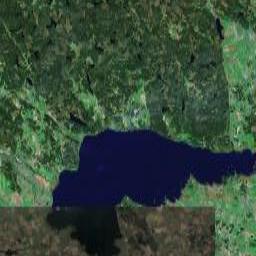
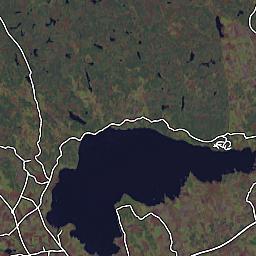
So far, so good. I also noted that their tiles were rather closely aligned to what comes from Google Maps, at least for the above tile I studied -- Google Maps on the left (image copyright © 2005, DigitalGlobe), Streetmap on the right.
A decent match, but is it a pixel perfect match? The best way of finding out is to flip back and forth between them, to spot the tiny misalignments, should there be any. Sure enough, they were a few pixels out of alignment with one another. Good thing the bounding box was given as two latitude/longitude readings in the URL so we can adjust it to a better fit.
To aid me in doing so, I drew up a tiny web page, making use of a usually annoying CSS (or maybe Mozilla) misfeature, that makes things flicker horribly when you try to make an image disappear on hovering it. The problem, and in this particular case also the solution, is that if you specify a CSS
So I made my own Flickr (ha), to realign the images until I eventually found a good setting, featured in the fourth image. The background of each image is set to the Google Maps image. (Your browser might not flicker on hovering each image -- mine does, though. Remember that this is just using the web as a primitive tool, rather than conveying something to an audience.)
Next, to do a site mashup without invasively mofifying any images, we would need the street map tiles to be transparent, except for the streets themselves. The tiles served by the Streetmap tile server are generated as JPEG images (a format that does not support transparency), but on a closer peek on the (huge!) URLs and some trial and error, I managed to have the tile server generate PNG images just by slipping it an additional query parameter
So, let's do the final image superpositioning, which also concludes this study:

Anyway, they render road maps of their own, as a collaborative effort, and anyone can join in. They also publish them on the web and have a Google Mapish effort running to visualize them, atop free but thoroughly unaesthetic satellite imagery from Landsat. In these days of web site mashups, I find it a bit surprising that they have not already adapted their tile generator to bundle up with Google's superior imagery, but figured they might lack the time, or devote most of it to other (more tedious and less gratifying) tasks instead. Either way, I kind of smelled an opportunity to do some fun hackery, and bring the projects closer to one another.
First I compared images between (Google) Maps and (Open) Streetmaps (Yes, I'm going to abbreviate from now on) to verify that they had picked the same resolution / zoom levels. For at least two zoom settings, they had, so I assume somebody has made their homework and paved the way for this potential mashup, should someone who would take it on happen to come along. Nice -- less work for me. (The Streetmaps tile server seems to offer a huge set of URL parameters, all tweakable, so had they not already done so, it would at least have been possible to do anyway.) These images are scaled down a bit, by the way, to fit the small confines of my blog:
So far, so good. I also noted that their tiles were rather closely aligned to what comes from Google Maps, at least for the above tile I studied -- Google Maps on the left (image copyright © 2005, DigitalGlobe), Streetmap on the right.
A decent match, but is it a pixel perfect match? The best way of finding out is to flip back and forth between them, to spot the tiny misalignments, should there be any. Sure enough, they were a few pixels out of alignment with one another. Good thing the bounding box was given as two latitude/longitude readings in the URL so we can adjust it to a better fit.
To aid me in doing so, I drew up a tiny web page, making use of a usually annoying CSS (or maybe Mozilla) misfeature, that makes things flicker horribly when you try to make an image disappear on hovering it. The problem, and in this particular case also the solution, is that if you specify a CSS
img.hideme:hover { display:none; } CSS rule, Mozilla will first hide the image as you hover it with the mouse. On the next peek however, the image is no longer considered being hovered (after all, the mouse does not hover an image now, since there is no image there any more). Hence the image gets shown again. Repeat cycle. So I made my own Flickr (ha), to realign the images until I eventually found a good setting, featured in the fourth image. The background of each image is set to the Google Maps image. (Your browser might not flicker on hovering each image -- mine does, though. Remember that this is just using the web as a primitive tool, rather than conveying something to an audience.)
Next, to do a site mashup without invasively mofifying any images, we would need the street map tiles to be transparent, except for the streets themselves. The tiles served by the Streetmap tile server are generated as JPEG images (a format that does not support transparency), but on a closer peek on the (huge!) URLs and some trial and error, I managed to have the tile server generate PNG images just by slipping it an additional query parameter
FORMAT=PNG with the others. An even more polite and cautious person than myself would first have asked the good Streetmap people for permission before taking on such hackery, but I believe they might pardon me this time.So, let's do the final image superpositioning, which also concludes this study:
2005-12-12
SVG collaborative canvas
Interesting to see new applications taking form around maturing web tech such as SVG; I just noted a posting to the JSON-RPC mailing list from the jsolait camp, announcing an example application of a canvas shared between visitors. Not a new idea, but pre-millennial implementations did not do this right on the web with common browser technology, but instead relied on proprietary applications, protocols and graphics formats.
In another five years, will today's proprietary voice over ip, instant messaging and peer to peer video chat services be possible in the same open fashion, right on the web? I hope so.
Jsolait is a javascript framework and/or module system I tried adopting for a work application back in Spring, but quickly grew wary of, since it had a tendency to substantially hurt debugging by hiding just where in errors occur (backtraces traced back into the module system, typically to the point where you did an "import"). In all fairness, I did not wail openly on what mailing lists et cetera that might have been available at the time, so take my warning with a few grains of salt; it's quite possible there are solutions I did not find, or would emerge solutions, had I voiced the issue, so don't count it out just because I told you so.
I think what actually scared me away most, though, was the abundance of poorly spelled (internal) API methods and properties. It felt too sloppy and shaky for my (probably rather spoiled) tastes. Had I found it at the time, I wish I had tried MochiKit instead. By glance comparison, it seems a lot more mature, though again don't take my word for it; I have not tried debugging a large application running under it yet.
In another five years, will today's proprietary voice over ip, instant messaging and peer to peer video chat services be possible in the same open fashion, right on the web? I hope so.
Jsolait is a javascript framework and/or module system I tried adopting for a work application back in Spring, but quickly grew wary of, since it had a tendency to substantially hurt debugging by hiding just where in errors occur (backtraces traced back into the module system, typically to the point where you did an "import"). In all fairness, I did not wail openly on what mailing lists et cetera that might have been available at the time, so take my warning with a few grains of salt; it's quite possible there are solutions I did not find, or would emerge solutions, had I voiced the issue, so don't count it out just because I told you so.
I think what actually scared me away most, though, was the abundance of poorly spelled (internal) API methods and properties. It felt too sloppy and shaky for my (probably rather spoiled) tastes. Had I found it at the time, I wish I had tried MochiKit instead. By glance comparison, it seems a lot more mature, though again don't take my word for it; I have not tried debugging a large application running under it yet.
Bugfixed Blogger tagger, publish and ping helper user script
My Blogger publish ping and categorizer script was rid by a rather silly bug, in assuming that you had both the Blogger Settings -> Formatting options "Show Title field" and "Show Link Field" turned on, when trying to inject the extra "Tags" field on the edit post page. Now it no longer assumes either is on, and does a much better job of adapting to the circumstances that be; it should work with either combination of settings. Present (and future) users are recommended to reinstall the script, from the original location.
There are still some outstanding known bugs and missing features, but this at least addresses the most annoying one of them.
There are still some outstanding known bugs and missing features, but this at least addresses the most annoying one of them.
2005-12-10
GVisit JSON feed
Marshall Kirkpatrick compares four geomapping services, quoting ClustrMaps (featured here before), Frappr (whom I have found a bit too US centric to be interesting to me -- if you don't have a US zip code, it has at least been a great hassle tagging their maps in the past), GVisit and Geo-Loc.
I have been in touch with first ClustrMaps and then GVisit myself, the latter actually on a tip from the ClustrMaps people, after suggesting some future improvements I would like to see in their services, for applications I would like to build atop their service. My wants were about exposing a geofeed, if you will, as JSON encoded data that would be available to a javascript web page application, getting access to data about the geographic location of recent visitors, for, for instance, generating interesting live or semi-live visuals of my own with Google Maps (or other web mapping services). They liked the idea, but were a bit busy at the moment with other things needing their attention, which is understandable. They seem to care deeply about their service, which is of course a good and healthy sign.
I mailed GVisit a (rather detailed) suggestion on how to make a JSON feed of their data, and quite promptly received an answer asking if I would want to write the code myself. The code was almost already there anyway, and I got a peek of the RSS feed generator to base it on, and it was live within the day. Which was nice. :-)
So, as of about yesterday, GVisit sports not only RSS feeds for recent visitor locations, but also JSON feeds, with which you can do any number of interesting things. They do not hand you a complete kit with astounding visuals ready to paste to your site, but, for the javascript savvy, something even better, in allowing you to do your own limitlessly cool hacks based on the same kind of data that renders our beautiful ClustrMaps images, or Geo-Loc flash widgets, or Frappr whatever-theirs-are.
Stay tuned for more info on what you can do in a web page with a JSON geofeed.
I have been in touch with first ClustrMaps and then GVisit myself, the latter actually on a tip from the ClustrMaps people, after suggesting some future improvements I would like to see in their services, for applications I would like to build atop their service. My wants were about exposing a geofeed, if you will, as JSON encoded data that would be available to a javascript web page application, getting access to data about the geographic location of recent visitors, for, for instance, generating interesting live or semi-live visuals of my own with Google Maps (or other web mapping services). They liked the idea, but were a bit busy at the moment with other things needing their attention, which is understandable. They seem to care deeply about their service, which is of course a good and healthy sign.
I mailed GVisit a (rather detailed) suggestion on how to make a JSON feed of their data, and quite promptly received an answer asking if I would want to write the code myself. The code was almost already there anyway, and I got a peek of the RSS feed generator to base it on, and it was live within the day. Which was nice. :-)
So, as of about yesterday, GVisit sports not only RSS feeds for recent visitor locations, but also JSON feeds, with which you can do any number of interesting things. They do not hand you a complete kit with astounding visuals ready to paste to your site, but, for the javascript savvy, something even better, in allowing you to do your own limitlessly cool hacks based on the same kind of data that renders our beautiful ClustrMaps images, or Geo-Loc flash widgets, or Frappr whatever-theirs-are.
Stay tuned for more info on what you can do in a web page with a JSON geofeed.
2005-12-08
Bugfixed Clustrmaps tutorial: onload handlers
How embarrassing; my recent Clustrmaps tutorial was buggy. Not only was it buggy, but to the extent of terminating page load under Internet Explorer, at the spot where the code was inserted in the page, with a nasty error popup and possibly even without leaving the page there for the visitor to see even what had been loaded.
What the code did? It tried injecting nodes into the document with
On the other hand, this gives me good opportunity to hand down a tip on a technique I use to use when writing tutorialesque code snippets to avoid having to explain how to add code to the
This first picks up any former onload handler, and adds a new one that first runs the code you supply, then the one that might have been there in the first place. If you want to make extra sure that the addition of your own code does not break the formerly in place onload handler by some exception aborting your code, run the
What the code did? It tried injecting nodes into the document with
document.body.appendChild() before the entire document was loaded. Don't do this at home. (And I should have known better. I even pasted that code into the template of Some Assembly Required, apparently without even testing it in IE first.)On the other hand, this gives me good opportunity to hand down a tip on a technique I use to use when writing tutorialesque code snippets to avoid having to explain how to add code to the
<body onload> event handler, catering for cases such as there already being one, and so on. In my code, I was to add a clustrmaps() call to it, and this is how I wrote that code, in the end:var then = window.onload || function(){};
window.onload = function(){ clustrmaps(); then(); };This first picks up any former onload handler, and adds a new one that first runs the code you supply, then the one that might have been there in the first place. If you want to make extra sure that the addition of your own code does not break the formerly in place onload handler by some exception aborting your code, run the
then() method before calling your own additions.2005-12-05
Designing useful JSON feeds
Technical background: JSON, short for the javascript object notation is, much like XML, a way of encoding data, though in a less spacious fashion, and one which is also compatible with javascript syntax. A chunk of very terse XML to describe this blog might look like this:
The top element, as an aside, is required in XML, even if we don't assign any special data to it. In JSON, the above entry would look like this instead:
This makes for a smashing combination of light-weight data transport and easy data access for javascript applications. With very little extra weight added to a chunk of JSON, it also enables javascript applications to query cooperative remote servers for data, read and act on the results, which is something the javascript security model explicitly forbids javascript to do with XML, or HTML and plain text. (As a way of protecting you from cross site scripting security holes, which is a good thing to avoid.)
Anyway, with JSON, and a bit of additional javascript to wrap it, we can include data from some other domain given that wants to share data with us, using a script tag we point there, the data will be loaded and available to other scripts further down on the page in a common variable. This is a great thing, whose use is slowly spreading, with pioneering sites such as the cooperative bookmarking and tagging service Del.icio.us, that offers not only RSS feeds of the bookmarks people make, but also JSON feeds.
This article will show what Del.icio.us does, why they do, and suggest best practices for making this kind of JSON feeds even more useful to applications developers. This is what Del.icio.us adds to the bit of JSON above:
This does two things. First, it peeks to see if there is already a
Now, a later script on the page can do whatever it wants with the data in
This is all you need for static content pages, being loaded with the page, parsed and executed once only. AJAX applications are typically more long lived, and often do what they do without the luxury of reloading themselves as soon as they want more data to crunch on. Adding support for this isn't hard either: this is what we add at the end of our JSON feed:
What happens here? Well, first we peek to see if there is a
A very rudimentary example script using the API could now look like this:
The
With a callback approach like this, an AJAX application can create new
The approach outlined above does not solve another problem, though: handling multiple simultaneous requests. To do that, we also need to be sure each request gets handled by its own callback. This is best solved as a separate mode of invoking your API, by providing an additional URL parameter stating the name of the callback to run, or, more precisely, what javascript expression that should be invoked to call the right callback with your data. With this direct approach, we are best off not assigning any variable at all, but rather just pass the callback the data we feed it, right away.
Assuming our query parameter be named
and we return the code (as this is a call for our fictious
-- copying the parameter verbatim.
And the web is suddenly a slightly better place than it was, thanks to your application.
<blog>
  <u>http://ecmanaut.blogspot.com/</u>
  <n>Johan Sundström's technical blog</n>
  <d>ecmanaut</d>
</blog>
The top element, as an aside, is required in XML, even if we don't assign any special data to it. In JSON, the above entry would look like this instead:
{"u":"http://ecmanaut.blogspot.com/","n":"Johan Sundström's technical blog","d":"ecmanaut"}This makes for a smashing combination of light-weight data transport and easy data access for javascript applications. With very little extra weight added to a chunk of JSON, it also enables javascript applications to query cooperative remote servers for data, read and act on the results, which is something the javascript security model explicitly forbids javascript to do with XML, or HTML and plain text. (As a way of protecting you from cross site scripting security holes, which is a good thing to avoid.)
Anyway, with JSON, and a bit of additional javascript to wrap it, we can include data from some other domain given that wants to share data with us, using a script tag we point there, the data will be loaded and available to other scripts further down on the page in a common variable. This is a great thing, whose use is slowly spreading, with pioneering sites such as the cooperative bookmarking and tagging service Del.icio.us, that offers not only RSS feeds of the bookmarks people make, but also JSON feeds.
This article will show what Del.icio.us does, why they do, and suggest best practices for making this kind of JSON feeds even more useful to applications developers. This is what Del.icio.us adds to the bit of JSON above:
if(typeof(Delicious) == 'undefined')
  Delicious = {};
Delicious.posts = [{"u":"http://ecmanaut.blogspot.com/","n":"Johan Sundström's technical blog","d":"ecmanaut"}]
This does two things. First, it peeks to see if there is already a
Delicious object defined. If it isn't, it makes a new one, a plain empty container. This is a good way of making sure that other data sources in your API can be included later on in the page, coexisting peacefully without overwriting one another, or adding variable clutter in the global scope. (It is also good for branding! ;-) Then, it assigns our bit of JSON into the first element of an array -- or, in case we asked for lots of entities, fills up an entire arrayful of them.Now, a later script on the page can do whatever it wants with the data in
Delicious.posts, and all is fine and dandy. This is how the category menu on the right of this blog is built, by the way, asking Del.icio.us for posts on my blog carrying the appropriate tag. (In case this sounded very interesting, read more in this article.)This is all you need for static content pages, being loaded with the page, parsed and executed once only. AJAX applications are typically more long lived, and often do what they do without the luxury of reloading themselves as soon as they want more data to crunch on. Adding support for this isn't hard either: this is what we add at the end of our JSON feed:
if(Delicious.callbacks && Delicious.callbacks.posts)
  Delicious.callbacks.posts( Delicious.posts );
What happens here? Well, first we peek to see if there is a
Delicious.callbacks object defined. If there is, we peek inside it, to see whether there is a callback Delicious.callbacks.posts installed for the page that sends the Delicious.posts data. If there was, we call it, passing the data, and let the callback do whatever its application requires of it.A very rudimentary example script using the API could now look like this:
<script type="text/javascript">
Delicious = { callbacks:{ posts:got_posts, tags:got_tags }};
function got_posts( posts )
{
  alert( posts.length + ' posts matched.' );
}

function got_tags( tagnames, usernames )
{
  alert( tagnames.length + ' tags shared by ' +
         usernames.length + ' users.' );
}</script>
<script type="text/javascript" src="http://api.url/">
</script>
The
tags member of the callbacks object is for another (fictious) API, which in this example is called with two arrays of data, one carrying a number of tag names, the other an array of user names who use all of these tags.With a callback approach like this, an AJAX application can create new
<script> tags to its page to perform successive requests to a data source and get alerted of the new data when it arrives. As neither HTML nor javascript provide any means of annotation for when a <script> tag has completed loading, we would otherwise have to do lots of housekeeping and polling to find out when the new content arrives, or to perform advanced feats of magic most javascript programmers are not familiar or comfortable with. Callbacks solve that.The approach outlined above does not solve another problem, though: handling multiple simultaneous requests. To do that, we also need to be sure each request gets handled by its own callback. This is best solved as a separate mode of invoking your API, by providing an additional URL parameter stating the name of the callback to run, or, more precisely, what javascript expression that should be invoked to call the right callback with your data. With this direct approach, we are best off not assigning any variable at all, but rather just pass the callback the data we feed it, right away.
Assuming our query parameter be named
cb, we get invoked like this:<script type="text/javascript" src="http://api.url/?cb=callbacks[17]">
</script>
and we return the code (as this is a call for our fictious
tags call):if(typeof callbacks[17] == 'function')
callbacks[17]( ["Web2.0","Del.icio.us"],
["John","Eric","Bruce"] );
-- copying the parameter verbatim.
And the web is suddenly a slightly better place than it was, thanks to your application.
Styling your blog post tags list with CSS
Freshblog just posted an excellent step by step tutorial on how to categorize your Blogger blog posts using my Greasemonkey post tagger tool. This post adds a bit on how you can use CSS to add some stylish looks to the tags you end up with listed at the bottom of your blog posts.
Assuming you use this tool, or one of its ancestors and relatives, or doing it manually yourself, posts in your blog with one or more tags will get this bit of HTML appended to the post (provided it has been tagged with "Blogger" and "CSS", the Del.icio.us account used is Ohayou, and the anchor tag used is "ecmanaut" -- yours will differ):
A bit terse, yes, but there is good reasoning behind it. First, people won't read the HTML of your post, so the lack of newlines and additional whitespace will not bother anyone. Second, if it had had any newlines between tags, that would introduce extra
Categories:
The first thing you might want to change about the above is the way it adds a line break between every tag instead of listing them all on one line. Find the place in your page template that reads
The first line makes the first tag line up with the "Categories:" text, the second makes consecutive tags line up right along with the previos tag. The explicit padding in the example might not be needed, depending on what other CSS is at play, but if you experience something looking like a tab between the label and first tag, you want it. Similarly, if there is way too much space between tags, you might need to adjust the
But we might want to add some nice little icon label next to each tag, that differentiates them from all the other bullet lists on your blog. These are Del.icio.us tags, after all; how about showing the Del.icio.us tag icon instead? That could look like this (feel free to copy their image and put it somewhere else, if you don't want to feed them any data about your visitors, the amount of traffic your blog gets, and so on):
The padding and margin adds a few pixels to the left of each tag for the icon, and the background specification fills the space with the icon. The
You can of course add lots of other things too using CSS, and this is not trying to be a tutorial on all the possibilities on offer, but it's a head start, anyway. Good luck with your own styling!
A: I did it like this, altering the
Assuming you use this tool, or one of its ancestors and relatives, or doing it manually yourself, posts in your blog with one or more tags will get this bit of HTML appended to the post (provided it has been tagged with "Blogger" and "CSS", the Del.icio.us account used is Ohayou, and the anchor tag used is "ecmanaut" -- yours will differ):
<div class="tags">Categories:<ul><li><a href="http://del.icio.us/ohayou/ecmanaut+Blogger" rel="tag">Blogger</a></li> <li><a href="http://del.icio.us/ohayou/ecmanaut+CSS" rel="tag">CSS</a></li></ul></div>
A bit terse, yes, but there is good reasoning behind it. First, people won't read the HTML of your post, so the lack of newlines and additional whitespace will not bother anyone. Second, if it had had any newlines between tags, that would introduce extra
<br> tags on blogs that use the Blogger convenience setting to substitute newlines for HTML line break tags, and that might complicate styling this list the way you want it to look. Without any special CSS treatment of yours, this might look a bit like this in your blog (if you use the same basic page template I do, anyway):Categories:
The first thing you might want to change about the above is the way it adds a line break between every tag instead of listing them all on one line. Find the place in your page template that reads
<style type="text/css"> and add this bit of CSS right afterward:div.tags ul { display:inline; padding:5px; }
div.tags li { display:inline; }The first line makes the first tag line up with the "Categories:" text, the second makes consecutive tags line up right along with the previos tag. The explicit padding in the example might not be needed, depending on what other CSS is at play, but if you experience something looking like a tab between the label and first tag, you want it. Similarly, if there is way too much space between tags, you might need to adjust the
li line in the same fashion.But we might want to add some nice little icon label next to each tag, that differentiates them from all the other bullet lists on your blog. These are Del.icio.us tags, after all; how about showing the Del.icio.us tag icon instead? That could look like this (feel free to copy their image and put it somewhere else, if you don't want to feed them any data about your visitors, the amount of traffic your blog gets, and so on):
div.tags ul { display:inline; }
div.tags li { padding-left:14px; margin-left:8px; background: url('http://del.icio.us/static/img/delicious.small.gif') no-repeat 0 3px; display:inline; }
The padding and margin adds a few pixels to the left of each tag for the icon, and the background specification fills the space with the icon. The
3px figure at the end might need adjusting; it's how far down (in pixels) the icon should be in relation to the top of the list item and this will vary slightly with the size of the font you use. Three pixels works for my setup; yours might require more or less; try it out and see if you are happy with the results, and change accordingly otherwise.You can of course add lots of other things too using CSS, and this is not trying to be a tutorial on all the possibilities on offer, but it's a head start, anyway. Good luck with your own styling!
Q: I have a blog based on the TicTac template, just like yours; how did you get your tags formatted like the text in the TicTac post footer?
A: I did it like this, altering the
.post-footer sections to also apply to my div.tags tag list. If you don't want your tags capitalized, do not copy the text-transform:capitalize; bit..post-footer,div.tags {
margin: 0;
padding: 0 0 0 14px;
font-size: 88%;
color: #999;
background:url(http://www.blogblog.com/tictac_blue/tictac_grey.gif) no-repeat 0 8px;
}
.post-body div.tags { margin:1em 0 0; }
div.tags ul { display:inline; margin-left:0; }
div.tags li { display:inline; margin-left:8px; text-transform:capitalize; }
.tags li {
background:url('http://del.icio.us/static/img/delicious.small.gif') no-repeat 0 3px;
}Recommended reading
CSS tricks for custom bullets describes in greater detail and clarity what these things are all about, and how you can be creative with unordered lists using CSS. Well worth a read for all of you that want to add your own touch of creativity to your template.2005-12-02
Permalinks and their applications
Permalinks are the little stay-in-place URLs that make bookmarks viable. The keeper of a page signals his or her best promises that if you bookmark this link, that bookmark will keep pointing to this page, or in the case of a comment permalink, to that particular spot on this particular page, whatever other changes he or she makes to her page templates et cetera. Offering (and not only saying, but doing so) permalinks to content and microcontent provides longevity to your blog and adds value to it and its visitors alike. It's a seal of quality, and of showing that you care about your work and those who read and link to it enough not to suddenly dump it in the big bit bucket in the sky, breaking links all over the web and making future would-be visitors angry with you for having robbed them of whatever next part in a chain of on line hypertext they were tracking.
Hypertext is a volatile medium only in so far as content providers don't care about making it a lasting, permanent structure worthy of attaching to and building even more off of. Permalinks offer the joints of these structures we call the web.
Blogger templates, by default, offer permalinks to posts, unless you change titles or month on them, and to comments to those posts. Blogger even standardizes the format of link names and names of anchors (mid-page permalink targets), naming post comment sections "#comments", backlinks "#links" and individual comments "#c<huge comment timestamp number>". I say timestamp number, because it is the number of nanoseconds passed since the dawn of the Epoch (January 1, 1970), divided by ten. (So if you ever scoffed at not being able to tell down to the second just when a comment was posted, well, you didn't know better. :-)
I'm going out on a tangent here, but before I return to the topic, let's make a nifty little tool that helps you date a comment, to the (tenth) nanosecond, by pasting it's permalink here (it works for post id numbers too):
Let's go back to comments and standardized permalinks again. Standardization has some benefits to your reader base, making it worth adhering to them, at least if your blog is on Blogger. (And, similarly, if there is a de facto standard for what anchors to have in a page for which content sections on your different blog or publishing system, there are the very same reasons to adhere to that system rather than Blogger's.)
Tools.
Any sufficiently large, useful and loved system on the web will grow a following of useful tools to do good things for and with them, whether they are more or less made for the purpose, such as Del.icio.us, or not, as in the case of Blogger. But tools will develop, and they will target the broad main line doing what most blogs do, staying close or identical to the default setup. Again, this is not something to be ashamed of, but a useful choice. I'm going to devote most of the rest of this post to one example of a tool that thrives on Blogger's standard comment links.
Some people across the web have felt there is an embarrassing lack of infrastructure on offer for looking up what you said last week to whom about what, and most of all, where. You post a comment on some blog, forum or whatnot, and then you forget most of it, except perhaps that it was about somebody's clever money making scheme, quest for fame, or perhaps a game you like. It must have been back in September. Or maybe August. But Google just won't find it for you, as you can't seem to pick out your particular wording, or something unique in the context surrounding it, and your thoughts are forever lost.
See? That's a lack of infrastructure. Of course there should be something that keeps track of what you write when you write it, perhaps offering some means of tagging it for a later reminder. You could of course bookmark every single comment you wrote and keep an index over them in a database... ...but it quickly leaps into deep geek realms where only those in need of spending huge amounts of time to solving taxing computer science problems roam. And not many of those either; most spend their time on more productive things. (Or playing World of Warcraft.)
But add a tool to do the bookmarking for you, extract your comments when they are written and that just makes it a click or two to decide whether you want to keep this in your web feedback history or forever leave it adrift in web space, organize them into a huge database maintained by other benevolent people, and suddenly it becomes viable. And it is already done, too. It's called Comment Blogging and there is a Greasemonkey user script to pick up all your Blogger comments already. Provided the Blogger blogs you visit use the common Blogger anchor layout; otherwise your comments will hang in the air, missing their target on the page unless you learn the blog's URL layout and compensate manually for every comment you write there. Not very likely, no; it's already too much work for too little gain.
This was one first tool, using Del.icio.us to store the comment bodies, locations and tags mostly automatedly. Del.icio.us isn't particularly addressing this usage domain, though it provides some decent tools to do the work anyway, by being a rather generic and accessable thing in general. Singpolyma has just released another one, specifically targeting Comment Blogging and comment bloggers, with features such as marking not only where a comment was dropped, but what it was a comment to, which should eventually allow for some rather advanced comment tree threading facilities, assuming we would ever want to publish and navigate through the conversation jungles spreading across the web, unsatisfied with just being able to find things.
I know I want to.
It's perhaps not all unsurprisingly (Stephen reads this blog, and we have much common interest in this field and topic) rather similar to some blue sky ponderings about cross blog commentary a few weeks ago -- it lives on the Ning playground, and you only need to register a user name to get going yourself. Name to be decided, I presume, but you may soon hook up and import your Del.icio.us CommentBlogging comments, publish a feed and knit it into your post templates. (The importer still needs some love, at the time of writing.)
Anyway, among the few tags of Singpolyma's I peeked at, I found one attached to a non-permalink from my time rotated blog front page. Ouch. That's what I get for not adhering to standard linking behaviour, adding comment links to pages that don't usually have them (index and archive pages) without making sure that all comment links are permalinks pointing away into their respective posts. I just fixed that, and page title texts similarly linking into their own pages, so rather than just being a comfy way of recentering the viewport on the post or comment clicked, these will now link to a smaller page. Adapting to your visitors' use patterns is the price we have to pay for going out of the box a little; it will be interesting to see whether this makes all of my pages get an additional back link from their archive page, and recent ones another one from the index page. Comment permalinks had to be added by means of javascript due to Blogger technical limitations, so they won't show up, anyway.
It will be lots of fun adapting Greasemonkey scripts to put Singpolyma's work to comfy use in day to day blogging. You won't have to pull all that weight yourself, unless you really want to, Stephen. :-) And feel free to toss some of the ideas I'm assuming you must have into the idea blog, now that your baby is known to the world; I'll be sure to tag along. Literally. :-)
Hypertext is a volatile medium only in so far as content providers don't care about making it a lasting, permanent structure worthy of attaching to and building even more off of. Permalinks offer the joints of these structures we call the web.
Blogger templates, by default, offer permalinks to posts, unless you change titles or month on them, and to comments to those posts. Blogger even standardizes the format of link names and names of anchors (mid-page permalink targets), naming post comment sections "#comments", backlinks "#links" and individual comments "#c<huge comment timestamp number>". I say timestamp number, because it is the number of nanoseconds passed since the dawn of the Epoch (January 1, 1970), divided by ten. (So if you ever scoffed at not being able to tell down to the second just when a comment was posted, well, you didn't know better. :-)
I'm going out on a tangent here, but before I return to the topic, let's make a nifty little tool that helps you date a comment, to the (tenth) nanosecond, by pasting it's permalink here (it works for post id numbers too):
Let's go back to comments and standardized permalinks again. Standardization has some benefits to your reader base, making it worth adhering to them, at least if your blog is on Blogger. (And, similarly, if there is a de facto standard for what anchors to have in a page for which content sections on your different blog or publishing system, there are the very same reasons to adhere to that system rather than Blogger's.)
Tools.
Any sufficiently large, useful and loved system on the web will grow a following of useful tools to do good things for and with them, whether they are more or less made for the purpose, such as Del.icio.us, or not, as in the case of Blogger. But tools will develop, and they will target the broad main line doing what most blogs do, staying close or identical to the default setup. Again, this is not something to be ashamed of, but a useful choice. I'm going to devote most of the rest of this post to one example of a tool that thrives on Blogger's standard comment links.
Some people across the web have felt there is an embarrassing lack of infrastructure on offer for looking up what you said last week to whom about what, and most of all, where. You post a comment on some blog, forum or whatnot, and then you forget most of it, except perhaps that it was about somebody's clever money making scheme, quest for fame, or perhaps a game you like. It must have been back in September. Or maybe August. But Google just won't find it for you, as you can't seem to pick out your particular wording, or something unique in the context surrounding it, and your thoughts are forever lost.
See? That's a lack of infrastructure. Of course there should be something that keeps track of what you write when you write it, perhaps offering some means of tagging it for a later reminder. You could of course bookmark every single comment you wrote and keep an index over them in a database... ...but it quickly leaps into deep geek realms where only those in need of spending huge amounts of time to solving taxing computer science problems roam. And not many of those either; most spend their time on more productive things. (Or playing World of Warcraft.)
But add a tool to do the bookmarking for you, extract your comments when they are written and that just makes it a click or two to decide whether you want to keep this in your web feedback history or forever leave it adrift in web space, organize them into a huge database maintained by other benevolent people, and suddenly it becomes viable. And it is already done, too. It's called Comment Blogging and there is a Greasemonkey user script to pick up all your Blogger comments already. Provided the Blogger blogs you visit use the common Blogger anchor layout; otherwise your comments will hang in the air, missing their target on the page unless you learn the blog's URL layout and compensate manually for every comment you write there. Not very likely, no; it's already too much work for too little gain.
This was one first tool, using Del.icio.us to store the comment bodies, locations and tags mostly automatedly. Del.icio.us isn't particularly addressing this usage domain, though it provides some decent tools to do the work anyway, by being a rather generic and accessable thing in general. Singpolyma has just released another one, specifically targeting Comment Blogging and comment bloggers, with features such as marking not only where a comment was dropped, but what it was a comment to, which should eventually allow for some rather advanced comment tree threading facilities, assuming we would ever want to publish and navigate through the conversation jungles spreading across the web, unsatisfied with just being able to find things.
I know I want to.
It's perhaps not all unsurprisingly (Stephen reads this blog, and we have much common interest in this field and topic) rather similar to some blue sky ponderings about cross blog commentary a few weeks ago -- it lives on the Ning playground, and you only need to register a user name to get going yourself. Name to be decided, I presume, but you may soon hook up and import your Del.icio.us CommentBlogging comments, publish a feed and knit it into your post templates. (The importer still needs some love, at the time of writing.)
Anyway, among the few tags of Singpolyma's I peeked at, I found one attached to a non-permalink from my time rotated blog front page. Ouch. That's what I get for not adhering to standard linking behaviour, adding comment links to pages that don't usually have them (index and archive pages) without making sure that all comment links are permalinks pointing away into their respective posts. I just fixed that, and page title texts similarly linking into their own pages, so rather than just being a comfy way of recentering the viewport on the post or comment clicked, these will now link to a smaller page. Adapting to your visitors' use patterns is the price we have to pay for going out of the box a little; it will be interesting to see whether this makes all of my pages get an additional back link from their archive page, and recent ones another one from the index page. Comment permalinks had to be added by means of javascript due to Blogger technical limitations, so they won't show up, anyway.
It will be lots of fun adapting Greasemonkey scripts to put Singpolyma's work to comfy use in day to day blogging. You won't have to pull all that weight yourself, unless you really want to, Stephen. :-) And feel free to toss some of the ideas I'm assuming you must have into the idea blog, now that your baby is known to the world; I'll be sure to tag along. Literally. :-)
2005-12-01
Open cooperative R&D on the web
Blogs are not always very efficient means of communication for development purposes; the kind of discussion of ideas and possibilities as outlined in my effort at summarizing the discussion so far on blog tag exchange and navigation, emerging technology in the forming stages, where we are experimenting and tossing wild ideas around. But we need tools and backend support to leverage the flow of thoughts, ideas and experiences we get, and I find it a very interesting challenge, trying to do this on the web. Open for anyone to join in, passively track as it happens, or browse through post factum, along the ever growing archive trail backwards through time.
Instant messaging clients, IRC, mail and news groups all have their take on how to do some, but not all of the above, and while the same applies to blogs, blog tech has always been a productive and adapting field ready to meet new challenges, and fairly quickly. It has also more or less always been about open communication and exposing historic archives, too. There are lots of other archaic, or just less known systems that address and occasionally solve much of or even all of these things, LysKOM being one local favourite pick (sprouted in Linköping, Sweden, where I live), but which typically has a user base in the hundreds, known perhaps only by a small tech savvy crowd tightly knit together by bonds of knowledge and culture. By implication, they are in practice much less accessable systems than the web, though technically merited and possibly often vastly superior to these in-crowds who are familiar with the system.
Trying to spread any one such system on technical merit alone, hoping to win the world, is not merely a time consuming and costly endeavour, it's more or less doomed to fail. It's the gradual refinement and improvement on already familiar environments like the web that win in the long run, growing bigger and better through the efforts of the huge masses working their magic on what they can do, and how. So I'm not going to praise the great things which LysKOM, or any other great communications device, does, but try to adopt the ideas that are good, and see how to make the web do the same, or even better tricks.
I posted an article on cross blog commentary a while ago, before diging into the joint research and development work on blog tagging technologies, and with my perspective on the subject matter of today, it is still the core problem to address -- tightening conversations, and being able to track them up and down after the fact. Add to that the requirements on being able to track them as they happen, listening in to a feed that notifies all interested parties on the next post in the chain of events, and we will have come a very long way.
Add some means of addressing one topic, by permalink, as present day terminology would closest approximate it, and we can easily add a layer of cooperative community categorization, by tagging, pointing in and out of the topic from and to related fields, further strengthening and adding value to the communications architecture and landscape. Prior to growing aparrent permalinks on subject level, the dilution that stems from the community tagging individual fragments of a discussion body adds less to the topic visibility. Whether this makes much of a difference to the quality of the system can probably only be measured after having come up with and deployed a solution; perhaps the individual post and the search mechanisms built in to the web will remain the best tools for providing topic visibility and topic neighbourhood linkage.
I'm pondering the merits of setting up on-the-fly joint blogs around topics already formed. Blogger, among others, makes that operation fairly cheap, and provides decent tools at low time to market (if the concept is stretched mildly), allowing multiple authors write access to a common forum which provides leverage to connections with the body of the surrounding web, though not yet adds much on its own to threading, or tracking incoming new authors' small contributions by post comments. I'd like to experiment a little with setting up a joint dev talk blog, to see where that brings us and what support devices naturally grow around that application. It might prove rather good, and it might not. But let's try it out, and see where it brings us.
Instant messaging clients, IRC, mail and news groups all have their take on how to do some, but not all of the above, and while the same applies to blogs, blog tech has always been a productive and adapting field ready to meet new challenges, and fairly quickly. It has also more or less always been about open communication and exposing historic archives, too. There are lots of other archaic, or just less known systems that address and occasionally solve much of or even all of these things, LysKOM being one local favourite pick (sprouted in Linköping, Sweden, where I live), but which typically has a user base in the hundreds, known perhaps only by a small tech savvy crowd tightly knit together by bonds of knowledge and culture. By implication, they are in practice much less accessable systems than the web, though technically merited and possibly often vastly superior to these in-crowds who are familiar with the system.
Trying to spread any one such system on technical merit alone, hoping to win the world, is not merely a time consuming and costly endeavour, it's more or less doomed to fail. It's the gradual refinement and improvement on already familiar environments like the web that win in the long run, growing bigger and better through the efforts of the huge masses working their magic on what they can do, and how. So I'm not going to praise the great things which LysKOM, or any other great communications device, does, but try to adopt the ideas that are good, and see how to make the web do the same, or even better tricks.
I posted an article on cross blog commentary a while ago, before diging into the joint research and development work on blog tagging technologies, and with my perspective on the subject matter of today, it is still the core problem to address -- tightening conversations, and being able to track them up and down after the fact. Add to that the requirements on being able to track them as they happen, listening in to a feed that notifies all interested parties on the next post in the chain of events, and we will have come a very long way.
Add some means of addressing one topic, by permalink, as present day terminology would closest approximate it, and we can easily add a layer of cooperative community categorization, by tagging, pointing in and out of the topic from and to related fields, further strengthening and adding value to the communications architecture and landscape. Prior to growing aparrent permalinks on subject level, the dilution that stems from the community tagging individual fragments of a discussion body adds less to the topic visibility. Whether this makes much of a difference to the quality of the system can probably only be measured after having come up with and deployed a solution; perhaps the individual post and the search mechanisms built in to the web will remain the best tools for providing topic visibility and topic neighbourhood linkage.
I'm pondering the merits of setting up on-the-fly joint blogs around topics already formed. Blogger, among others, makes that operation fairly cheap, and provides decent tools at low time to market (if the concept is stretched mildly), allowing multiple authors write access to a common forum which provides leverage to connections with the body of the surrounding web, though not yet adds much on its own to threading, or tracking incoming new authors' small contributions by post comments. I'd like to experiment a little with setting up a joint dev talk blog, to see where that brings us and what support devices naturally grow around that application. It might prove rather good, and it might not. But let's try it out, and see where it brings us.
Subscribe to:
Posts (Atom)